≋
Hi‑Res & DSD
Native DSF/DFF playback, DoP or high-quality PCM conversion. ASIO/cwASIO and WASAPI on Windows, direct ALSA on Linux.
- Bit-perfect signal path
- Gapless PCM
- Up to 32 bit / 768 kHz*

Open source · Cross-platform · Audiophile
Orynivo brings large local music libraries, network streaming and bit-perfect playback together in one calm, modern interface.
One app · Seven languages
The entire Orynivo app can be switched to English, German, French, Spanish, Russian, Simplified Chinese or Hindi at any time.
One player. Your entire collection.
No mandatory cloud, no subscription, no data harvesting. Just your music—organized, connected and played at the best possible quality.
Native DSF/DFF playback, DoP or high-quality PCM conversion. ASIO/cwASIO and WASAPI on Windows, direct ALSA on Linux.
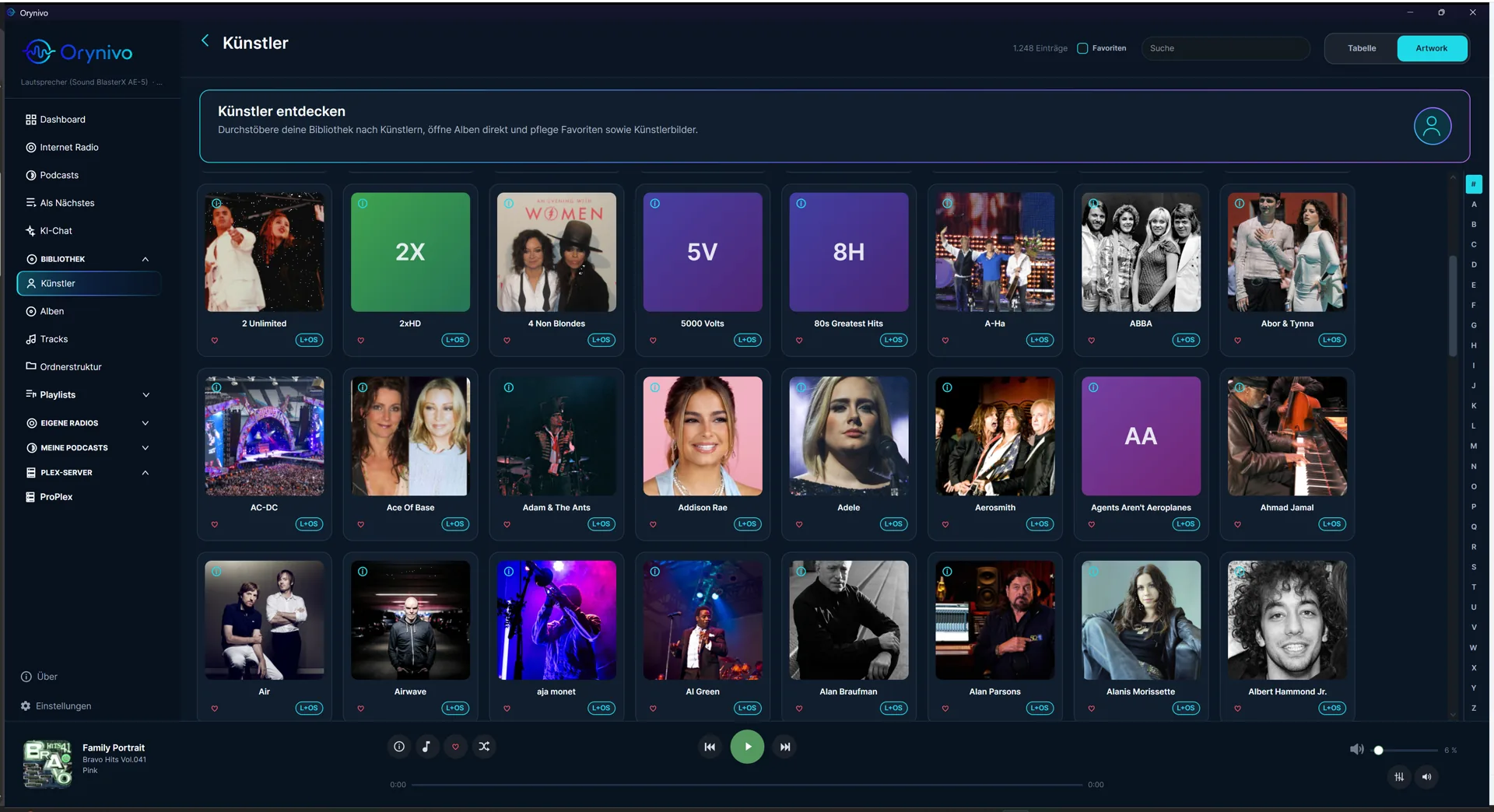
Browse artists, albums, tracks and folders. Includes CUE sheets, MKA chapters, smart playlists, favorites and metadata repair.
Orynivo Server gives you access to remote libraries on your local network, including artwork, search, playlists, waveforms and secure streaming.
Discover internet radio, find podcasts, manage lyrics and use the built-in AI chat with local or compatible models.
Multiple output profiles, ReplayGain, +6 dB PCM boost and a parametric equalizer with Equalizer APO and AutoEQ import.
Apache 2.0 licensed, with no telemetry. Your library and settings stay local; credentials are encrypted in your secure user context.
Explore the genres in your local library and every Orynivo Server as a hierarchy. Label sizes follow either matching track or album counts, and recommendations retain their exact source.
Builds a continuous queue from your listening habits. Mood, discovery level, time range, local and selected server sources, and genre rules are fully configurable.
* Actual supported formats and rates depend on your audio device and output driver.
Orynivo in action
From a quick overview to detailed track management, Orynivo stays clear even with very large collections.
Ready for your library?
Free, open source and no account required. Choose your system—or add Orynivo Server for music across your network.
Windows 10 or 11 · x64
Download installerPortable ZIPx64 and ARM64
ARM64 & portable archives ↗Apple Silicon and Intel
Apple Silicon PKGIntel PKGHeadless library server for Linux x64/ARM64
Set up server ↓Verifiable releases Every official update package is protected by a signed manifest with SHA-256 checksums.
All files on GitHub ↗Ready in five minutes
From download to your first track: a local library requires neither an account nor a server.
Download the package for your operating system, install Orynivo and launch the app.
Open Settings → Directories and select at least one local music folder. You can connect an Orynivo Server instead or in addition.
Start the scan. Artists, albums, tracks and existing artwork appear progressively while indexing runs.
The default output works immediately. Under Settings → Output you can select WASAPI, ASIO, ALSA, OpenAL or AirPlay when needed.
Open Tracks, Albums or Artists and double-click a track. Volume, queue and output remain available in the bottom player.
Platform-specific installation
win-x64-Setup.exe from the release.sudo apt install ./orynivo_*.debsudo dnf install ./orynivo-*.rpmsudo pacman -U ./orynivo-*.pkg.tar.zst/etc/orynivo-server/appsettings.json . Do not share the key publicly.sudo systemctl enable --now orynivo-server5280.Good to know
Yes. Orynivo is released under the Apache 2.0 license. You may use, inspect and develop the player for free.
Including FLAC, WAV, MP3, AAC, Ogg/Vorbis, Opus, MKA, DSF and uncompressed DFF/DSDIFF. Exact decoding support partly depends on FFmpeg.
No. The desktop app is enough for a local library. The optional server makes a central collection available to Orynivo clients on your local network.
No. Your library and settings remain local. External services are contacted only for features you explicitly use, such as metadata, radio, podcasts or AI chat.
Orynivo can check signed GitHub releases. Downloads and installations start only after your explicit action. This website also uses only the public GitHub Releases API to show current download links.
Your collection is waiting
A player for the music you own.
Download Orynivo ↓